 11
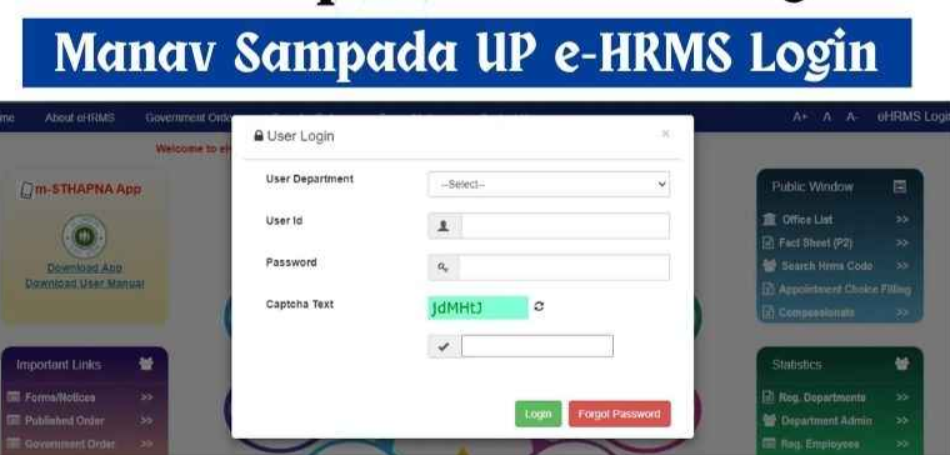
11 Manav Sampada UP is the Uttar Pradesh government’s online Electronic Human Resource Management System (eHRMS) for state government employees. It was developed by the NIC Uttar Pradesh state centre and runs at ehrms.upsdc.gov.in. Employees use it for leave, service-book details, payslips, attendance and transfer information. The project was first implemented in Himachal Pradesh, and several other states later adopted the same model.
| Particular | Details |
|---|---|
| Portal name | Manav Sampada UP (eHRMS UP) |
| Launched by | Government of Uttar Pradesh |
| Developed by | NIC Uttar Pradesh State Centre |
| Official website | https://ehrms.upsdc.gov.in |
| Type | Electronic Human Resource Management System |
| Users | Government employees of Uttar Pradesh (departments registered on the portal) |
| Login credentials | Department, user ID / employee code, password, captcha |
| Mobile app | m-Sthapana |
| Departments covered | Reported as 87 (as of Feb 2024) |
| Registered employees | Reported as about 13.88 lakh (as of Feb 2024) |
| Support email | ehrms-up@gov.in |
| Helpline | 1800-180-5312 (as reported by a third-party site) |
Not: Details verify them on the official portal.
It is a digital HR platform that moves routine service matters online. Instead of paper files, employees apply for leave, view their service history and use other work-related services in one place, and reporting officers approve or reject requests.
The exact verification method isn’t documented in the sources I found. If reset fails, contact your department’s HR/administrative office or the portal helpdesk.
Confirm that your department’s registration is complete before applying.
Self-registration is not available; sources say registration is done by your department’s administrative office.
Employees can also see application and leave status on their dashboard after logging in.
The portal doesn’t take public applications, so there is no standard document list. In practice:
Can I register myself?
No. Your department’s office handles registration.
What if I forgot my password?
Use Forgot Password on the login page, or ask your department’s HR/IT contact.
Is there a mobile app?
Yes, m-Sthapana. The manual and app link are on the portal home page.
How do I check my leave status?
Log in and open the leave section, or use the m-Sthapana app.
Which leave types can I apply for?
Reported types include casual, medical, maternity, childcare and miscarriage leave, subject to your service rules.
Who do I contact for technical help?
NIC’s Manav Sampada team at ehrms-up@gov.in, or the reported helpline 1800-180-5312.
Is Manav Sampada used in other states?
Yes, states such as Himachal Pradesh, Punjab, Jharkhand, Delhi and Assam use the eHRMS model, each with their own portal.
This content is for general information only. We are not affiliated with the Government of Uttar Pradesh, NIC, or the Manav Sampada portal. Details such as features, contact numbers, eligibility and procedures may change and have been compiled from third-party sources. Please verify everything on the official site, https://ehrms.upsdc.gov.in, or with your department’s HR office. We do not manage accounts, reset passwords or process leave. Never share your user ID, password or OTP with anyone, and enter credentials only on the official government website. We accept no liability for loss or inconvenience arising from reliance on this information.